
The operating system for real estate agencies
No lead gets lost, no deal gets stuck,
no agent leaves with your database.
Properties, clients, selections, viewings and deals in one system. Managers see all the work, and the database stays with the agency.
Trial period, no card required · interface in 5 languages
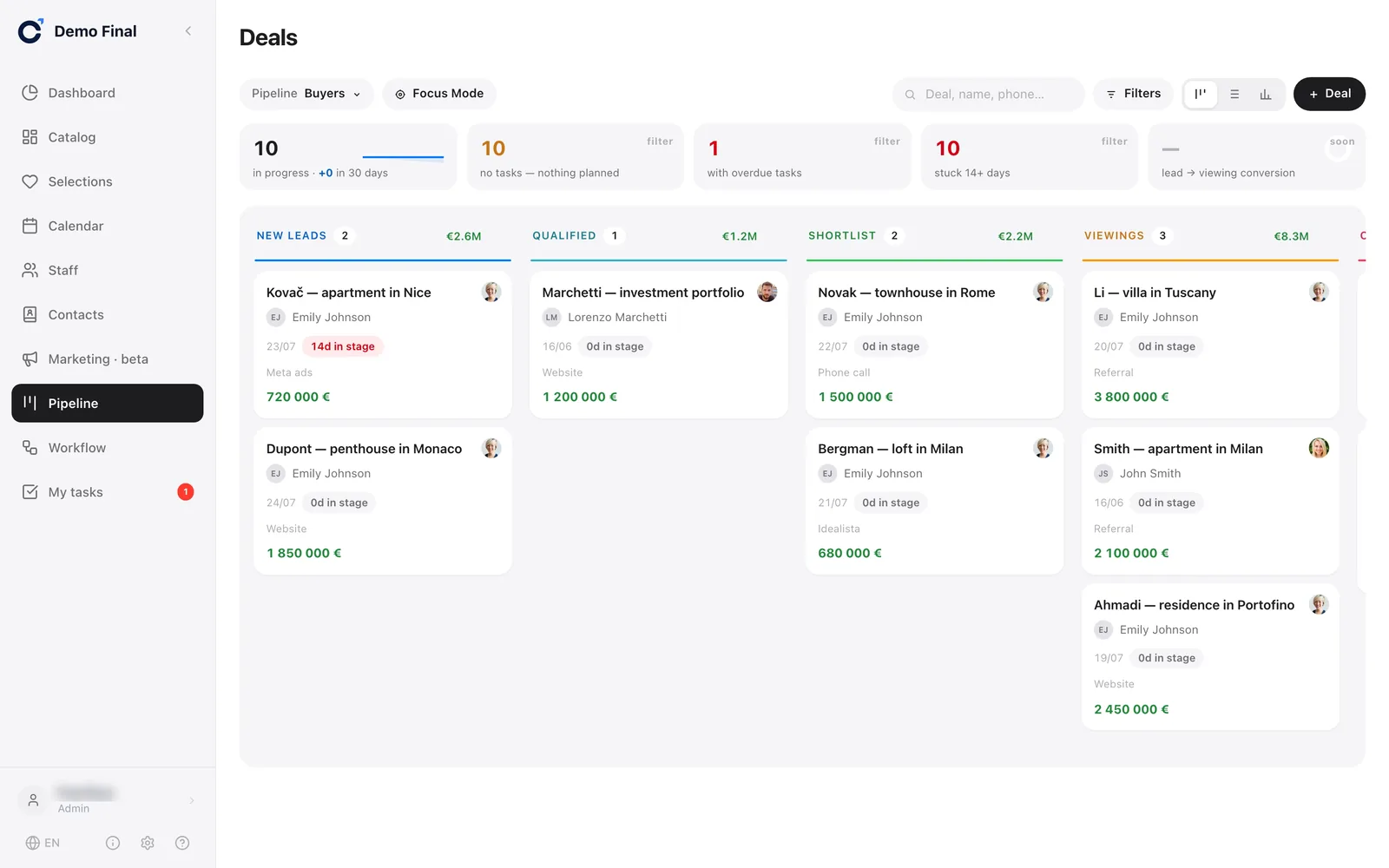
Real Calto interface, demo workspace. The data is fictional.
Add a property from a portal in one click in Chrome, with no manual entry
Calto extension for Chrome on a computer — we install it during setup
Three gaps where commission is lost
This isn’t about convenience. It’s about leads you’ve already paid for, and deals that could have closed sooner.
A paid lead went to an agent’s private chat
A lead from your ads was forwarded to an agent in a messenger app. The agent did not call back, and nobody found out. The manager only sees what people tell them.
The selection was sent, and then silence
The client got ten links in a messenger app. Did they open them? What did they like? The agent does not know and calls without any context.
The database lives in Excel and in people’s heads
Each agent has their own file, and property owners’ contacts sit in someone’s notes. When a person leaves, half of the database leaves too.
For managers — control
- All the work is visible. You see right away where things are stuck: deals with no task, with overdue tasks, or with no movement for more than two weeks.
- The database stays with the agency. When you dismiss an agent, they can no longer log in, and their clients and deals stay where they are.
- “Own / Group / All” access. An agent sees their own work, a team lead sees the group, the director sees everything.
- Pipeline report. How many deals are at each stage and how many reached the end.
Summary above the deals board — real interface, demo workspace


For agents — convenience
- A portal listing in one click. The Calto extension for Chrome takes the photos and the description for you, with no manual entry.
- A selection in one link. The client does not need to install anything, and the agent sees what they liked.
- “My tasks” by urgency. Overdue, today, this week: tasks from all deals in one list.
- Leads come in automatically. Facebook and Instagram lead forms, and the enquiry form on your agency’s catalog site at calto.io, go straight into the pipeline.
Diagram: how a property gets from a portal into the agency catalog
- Listing on a portalFotocasaImmobiliare.itYaencontreJamesEdition
- One click in Chromethe Calto extension on the listing page
- Draft in the agency catalogwith photos and description
You don’t have to make agents use it — it’s simply easier for them.
Everything your agency works with, and nothing extra
Calto was built around properties, buyers and viewings from the start. You do not need to adapt a generic CRM to real estate.
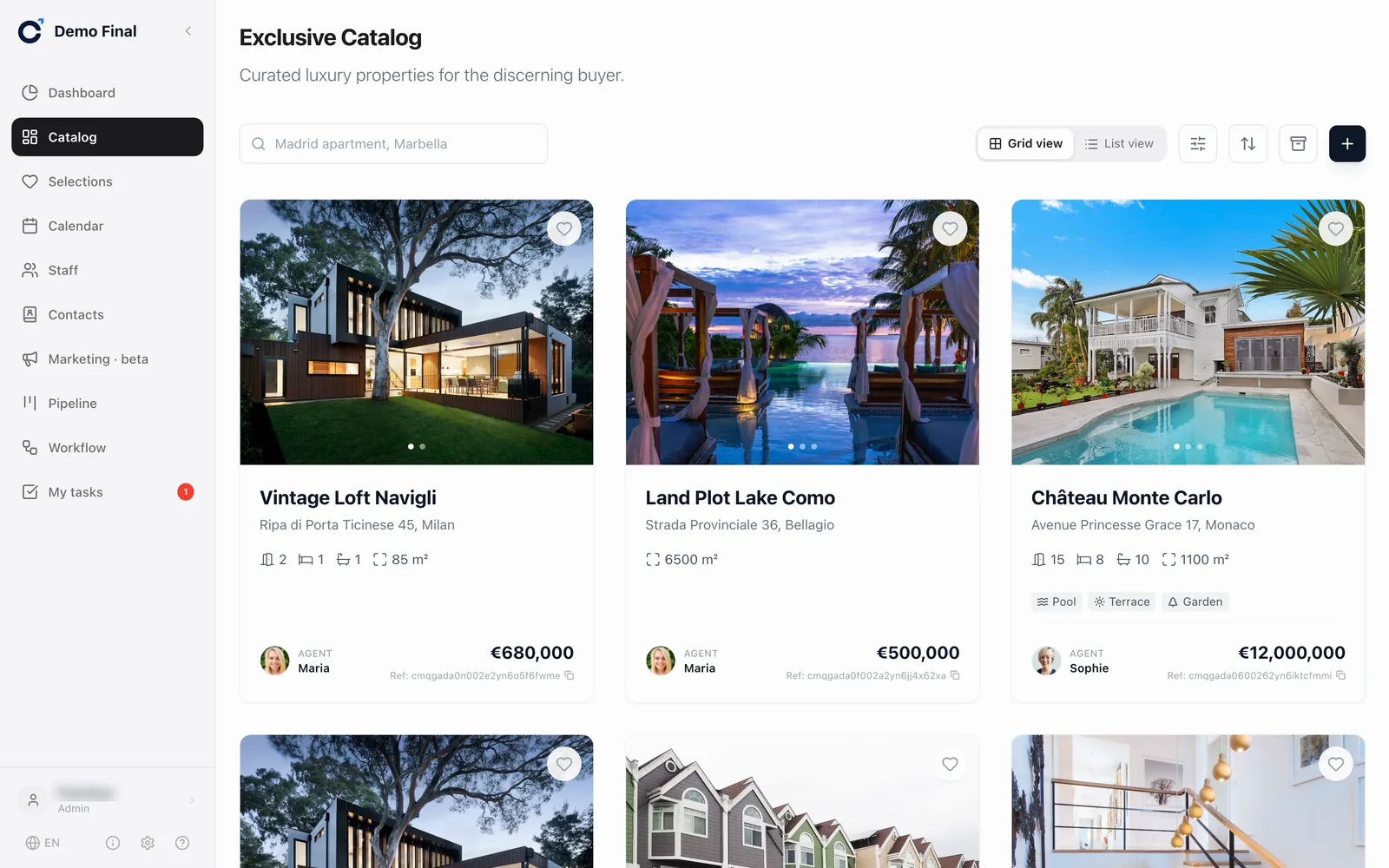
A catalog the whole team trusts
All properties in one place: up to 50 photos with your logo, custom fields, descriptions in five languages. You can block duplicates.
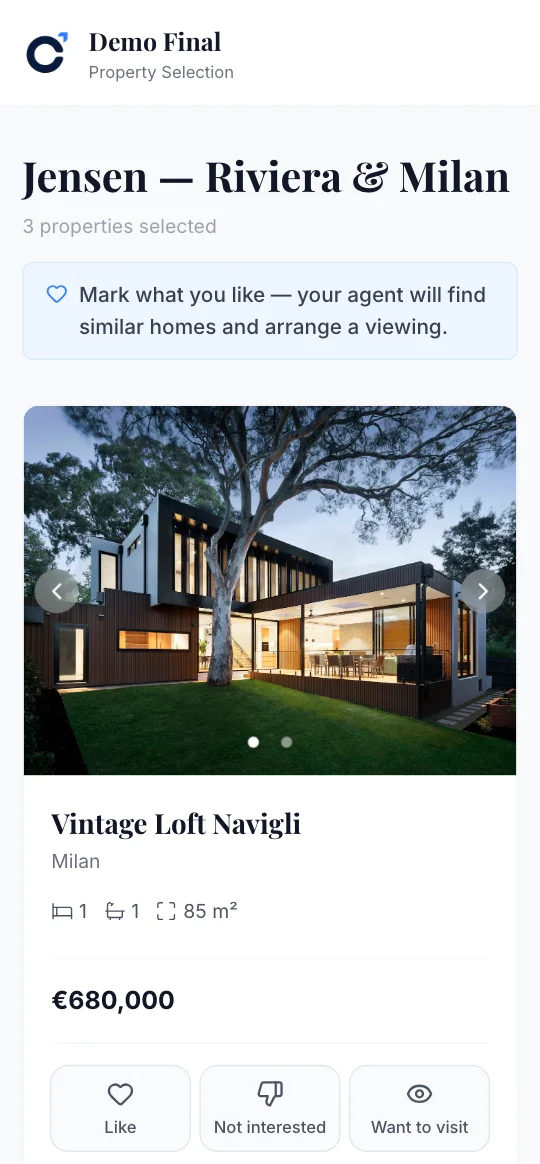
Selections that clients respond to
One link instead of a pile of PDFs. The client marks properties, and the agent sees it immediately.


AI improves property photos — compare for yourself
Process all photos of a property in one click, or just one photo. The originals are kept, and you can restore any photo.
Photo processing is paid, based on usage.
Drag the slider. Real “Improve quality” processing in Calto, demo workspace
- Change the assigneein turn among agents
- Create a taskcall the client, with a due date
- Send a notificationin Telegram, to the assignee

🆕 New lead
Mark Jensen
Scenario diagram from the Workflow section. Step names and the notification text are as in the product
The system does the routine work
A lead comes in, and the scenario assigns an agent in turn, creates a task and messages the agent in Telegram.
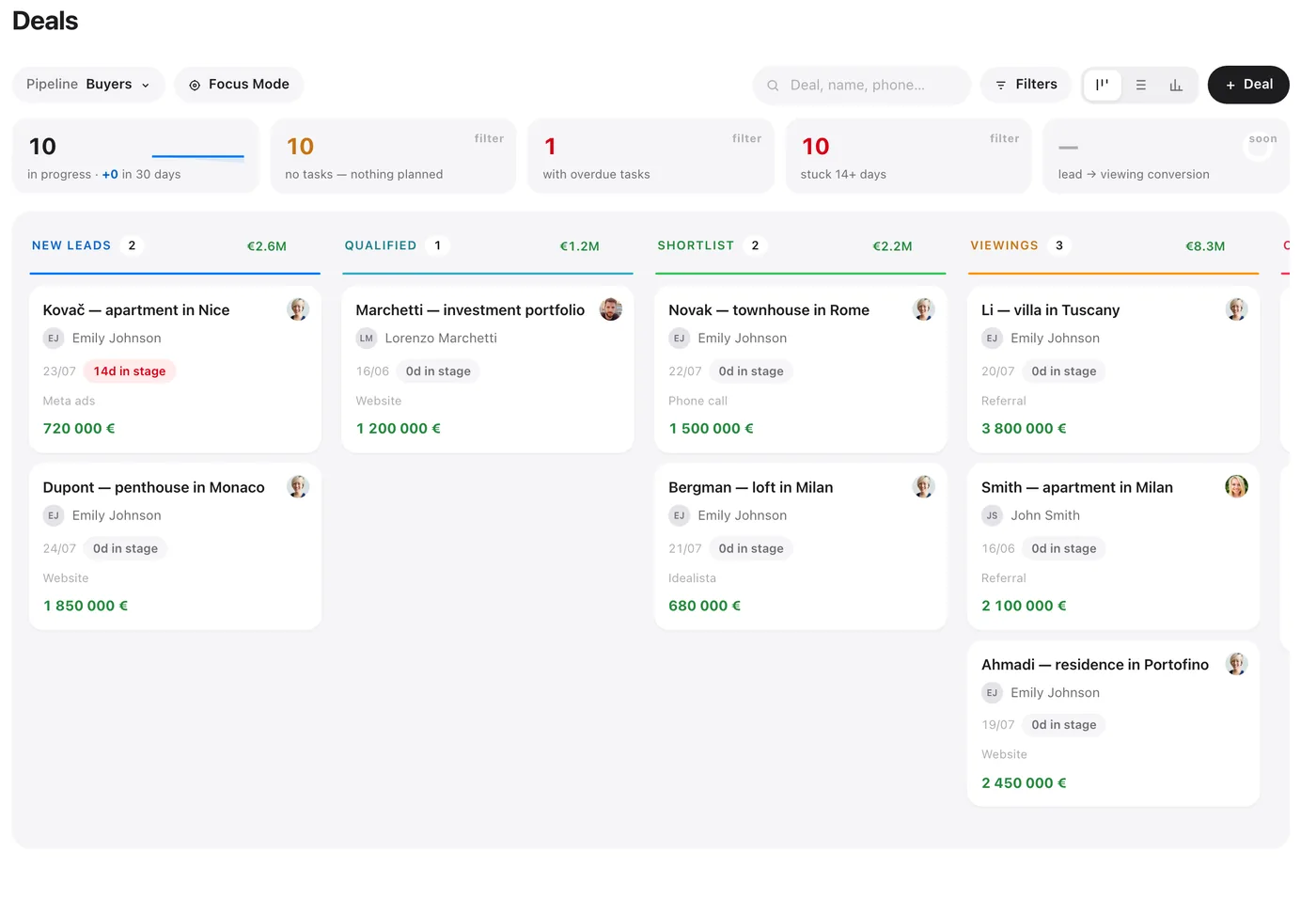
Deals from lead to closing
Your own pipelines and stages, tasks with due dates, lost reasons and a pipeline report.
We bring buyers, Calto does the rest
We run ads on Facebook and Instagram and connect the lead forms directly to Calto. A lead does not get lost in spreadsheets. It goes straight to your agent, with a task and its source.
- Ads and lead forms on Facebook and Instagram
- Landing pages for specific properties and areas
- We set up pipelines, lead distribution and notifications
- One set of numbers for both of us: leads, viewings, deals
The database stays with the agency
When you dismiss an employee, they lose access. Their properties, clients and deals stay with you.
each agency has a separate database, not a shared table with competitors
server and backups in the EU; a backup every day, kept for 30 days
interface, property descriptions and client pages: English, Spanish, Italian, Ukrainian, Russian
Short and honest answers
If you still have a question, ask it at the demo.
How much does it cost?
The price depends on the size of your team. We will tell you the price at the demo. You pay by invoice, with no card and no automatic charges. You start with a trial period.
How do we get started?
We set up your workspace for you. There is no self sign-up. We connect your team and your Facebook and Instagram lead forms, and we move your database: properties and contacts. A new workspace comes with ready-made pipelines and demo data that you can delete with one click.
Can we move our database from another CRM?
Yes, our team does it for you: you send an Excel file or an export from your current system, and we add the properties and contacts. You can’t upload a file yourself or export contacts to a file yet.
What language are the pipelines and stages in?
The ready-made pipelines in a new workspace have English names, and they are not translated automatically. You can rename them in “Settings → Pipelines”, usually right at setup.
What about AI?
There are three AI features today. Translation of descriptions: free with a button, paid when automatic. Photo processing: improve quality and remove watermarks and logos from your photos, paid. Adding a property from a link to a listing: for large portals, this works through the extension. Paid features are charged by usage from the workspace AI balance, and you top up the balance through us. There are no AI property descriptions, no AI property matching from a text request and no voice assistant.
What is not in Calto yet?
No mobile app: Calto works in the phone’s browser. No file import: our team moves your database for you. No Google Calendar sync: viewings live in the Calto calendar. No export to Idealista and Fotocasa: there are feeds for Rieltor.ua and JamesEdition. No custom domain for your agency’s catalog site: it stays at calto.io. No messaging with clients inside the CRM: agents write on WhatsApp or by email. If any of this is critical for you, we will talk about it at the demo, before you pay.
Where is the data stored?
Each agency has a separate database. The server and backups are in Amsterdam. A backup is made every day and kept for 30 days. Telegram, Meta, Google and the AI provider work outside the EU when you use them; the list is in the privacy policy. If you want to leave, we will prepare an archive of all your workspace data on request.
See Calto with your own properties
A 30-minute Zoom call. Bring one real client request. We will build a selection for it and show you how the agent and the manager see it.
Trial period, no card required · we set up your workspace · our team moves your database